How to connect the igus Robot Control to your PC
By Adriana Glazer
When purchasing various robot kinematics, igus Robot Control is optionally available as a switch cabinet version or top hat rail version and offers the user an easy entry into automation. The various robot kinematics can be connected quickly and easily via an Ethernet interface between the control system and the PC. In this article you will learn how to do this.
To connect the robot to your PC, the igus® Robot Control software must first be installed on your PC. The special feature: the software is available online completely free of charge and is license-free.
Once the software has been installed on the PC, a connection between these two devices is established via an Ethernet cable. The control system offers the appropriate Ethernet port directly next to the USB socket.
Make sure that the IP address of the PC is set to static 192.168.3.1 and subnet mask 255.255.255.0. Start the igus® Robot Control and implement a fast robot operation through our “3 steps, 3 minutes, control robots”.
3 steps, 3 minutes, control robots
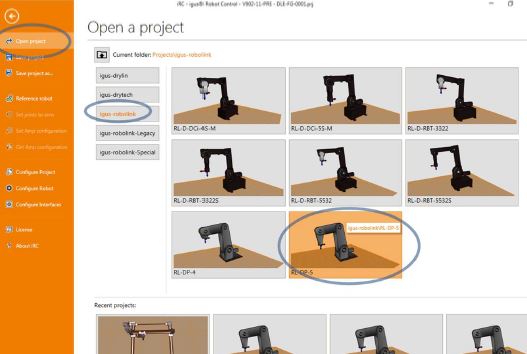
Step 1: Select your required robot application.
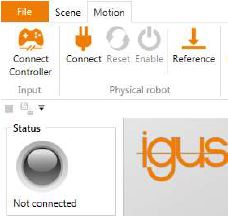
Step 2: Connect the physical robot to the software by connecting the hardware, resetting the errors and activating the motors.
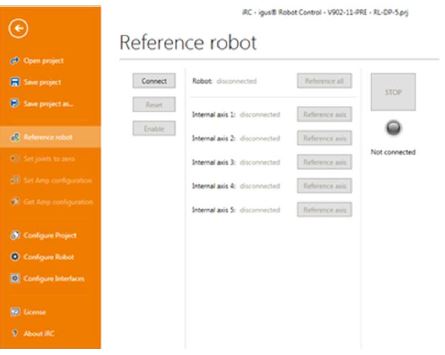
Step 3: Only after referencing the robot is it possible to execute the programmed, Cartesian movements.
Looking to learn more?